

Instagram Hashtags in 2026: How Many to Use, How to Choose Them and What Instagram Says
In December 2025 Instagram announced it would cap hashtags at five per post and per reel. Here's what the platform said, what Adam Mosseri said about reach, how to pick your five, and a free spreadsheet to organize them.

For years, hashtags were the favorite trick of anyone trying to grow on Instagram: thirty tags at the end of the caption, then wait. Today that trick is gone: Instagram caps hashtags at five per post and per reel, and the head of Instagram himself has spent months saying they don't help increase reach.
So are they good for anything? Yes, but for something more modest and more useful. Here's what we know.
What Instagram announced in December 2025
According to Social Media Today, Instagram announced it will gradually roll out a limit of five hashtags in the caption of posts and reels. Before settling on that number, it had tested a limit of three with some users for a year [1].
The platform explained its reasoning: relevant hashtags still help people discover content, but a few well-targeted ones work better than many generic ones, both for post performance and for the experience of the people using the app. The cap is also meant to curb abuse [1].
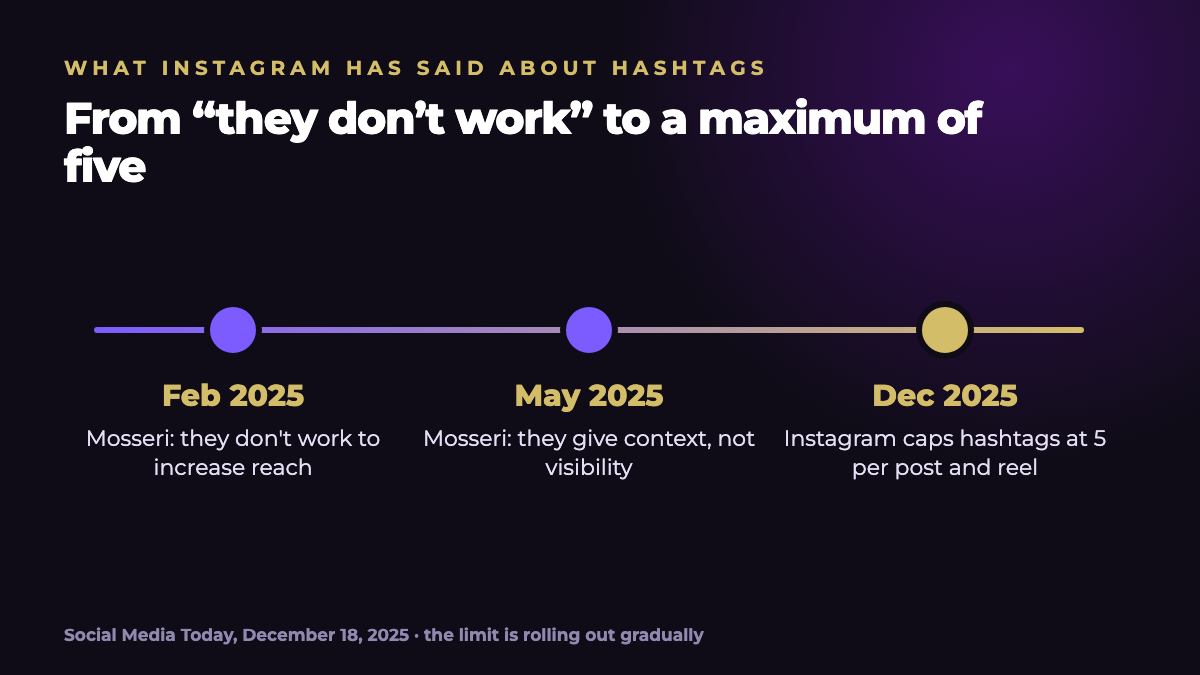
What Adam Mosseri has said
- February 2025: hashtags "don't work" for increasing reach.
- May 2025: they're a useful way to show what a post is about and to connect pieces of content with each other, though they don't improve visibility [1].
Social Media Today adds that as more and more discovery depends on artificial intelligence systems, hashtags carry less weight in reach, though they still help sort content by topic [1]. That's consistent with what Mosseri has named as the main ranking signals: watch time, likes and sends [3].
Hashtags are no longer a growth lever. They're context labels: they help Instagram and people understand what your post is about. Five well-chosen ones are enough.

How to choose your 5 hashtags
- Start with the topic. Ask yourself what exactly the post is about and pick tags that describe it. #marketing is vague; #contentcalendar is specific.
- Mix sizes. Combine one broad tag with more specific ones. When you search for a hashtag, Instagram shows how many posts it has: the very large ones compete with millions of posts and describe less.
- Add one for your brand or community. A hashtag of your own lets you collect your content and the posts of people who mention you.
- Avoid generic tags. Instagram recommends targeted ones over generic ones [1]; tags that fit anything (like #viral or #reels) say nothing specific about your post.
- Test, measure and adjust. Note which set you used on each post and check reach, saves and sends. A set tried on one or two posts proves nothing; with ten, you start to have a clue.
Mistakes to avoid
- Always copying and pasting the same block. If the topic changes, the hashtags should change too.
- Using tags that have nothing to do with the post. It muddies what you're publishing and goes against the spirit of the limit.
- Expecting miracles. If a post doesn't perform, the problem is almost never the hashtags: it's usually the hook, the topic or the format. See the guide to Instagram hooks.
- Going over the limit. If you publish from an external tool, check that it respects the maximum of five.
I made a spreadsheet to help you get organized: a hashtag bank with each tag's topic and size, sets of up to five with a warning if you go over, and a tracking sheet that calculates the average reach of each set. It comes with sample data so you can see how it works.
Where hashtags fit in the rest of your strategy
If hashtags don't move reach, what does? What Instagram says counts: people watching your content, saving it and sharing it. That comes from a good reel script, strong hooks and consistency; among Instagram's tips for creators is posting about 10 reels a month or more [2]. For the rest of the strategies, read how to grow on Instagram without buying followers.
How Viral Score helps
With Viral Score you paste your post draft and get a score from 0 to 100, improvements for the hook and the text, and relevant hashtag suggestions, so you can choose your five with good judgment before publishing.
Frequently asked questions
How many hashtags can I use on Instagram?
Up to five per post and per reel. Instagram announced in December 2025 that it will roll this out gradually, after testing a limit of three with some users for a year.
Do hashtags increase reach?
According to Adam Mosseri, no: in February 2025 he said they don't work for increasing reach, and in May 2025 he said they help show what a post is about and connect pieces of content, though they don't improve visibility.
Are big or small hashtags better?
Instagram recommends a few well-targeted ones over many generic ones. In practice, hashtags specific to your topic describe your content better than very broad ones, which also compete with millions of posts.
Where do I put hashtags: in the caption or in a comment?
The five-hashtag limit applies to the caption of posts and reels. What matters is that they're few and relevant, wherever the text sits.
Should I use hashtags in Stories?
This guide covers hashtags on posts and reels. For Stories, use only the ones that add context and follow whatever limit the app currently enforces.
Sources
Data and quotes checked against the original pages in October 2026. If a figure is old or comes from a single company's data, we say so in the text.
- Andrew Hutchinson, Social Media Today. “Instagram Implements New Limits on Hashtag Use”. December 18, 2025. socialmediatoday.com ↗
- Andrew Hutchinson, Social Media Today. “Looking for ways to improve your IG Reels approach?”. July 10, 2024 (collects tips from Instagram's professional panel). socialmediatoday.com ↗
- Andrew Hutchinson, Social Media Today. “Looking to improve your performance on Instagram in 2025?”. January 22, 2025 (quotes Adam Mosseri). socialmediatoday.com ↗